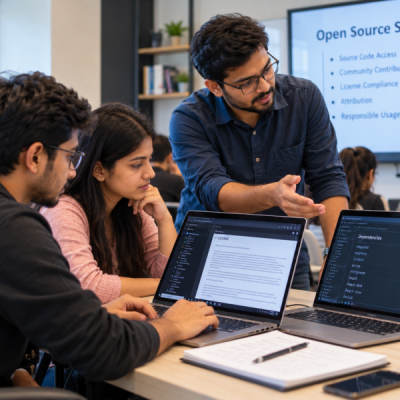
Finding code online has become a normal part of software development. IT students often use GitHub repositories, packages, libraries, tutorials, and open-source projects to learn or solve problems faster. However, there is one important question that often gets ignored: Can you legally use this code?
This is where software licensing becomes important.
A piece of code being available online does not automatically mean that anyone can use it without conditions. Different licenses give users different rights and may also include specific requirements.
For students preparing for professional IT careers, understanding these basic rules is becoming an important practical skill. The Best software Training Institute in Hadapsar can help students develop this awareness alongside programming and software development skills.
What Is Software Licensing?
A software license explains how other people are allowed to use, modify, share, or distribute software.
Think of it as a set of permissions and conditions attached to the software.
When a developer publishes code, they may choose a license that explains what others can do with it. Some licenses allow broad use with relatively few conditions. Others place additional requirements on modification or redistribution.
Therefore, students should not assume that every piece of code found online has the same rules.
For example, two repositories may both contain useful JavaScript code. However, their licenses could be different.
One may allow modification and commercial use with certain notice requirements. Another may require modified versions to follow additional conditions.
The code may look similar.
The legal permissions may not be.
Why Do IT Students Often Ignore Software Licenses?
There is a simple reason: students are usually focused on making their software work.
Imagine a student is building a college project and encounters a difficult programming problem. They search online, find a useful code snippet, copy it, make a few changes, and continue working.
The technical problem is solved.
However, another question remains:
What are the conditions for using that code?
Many beginners never check.
Another reason is the common misunderstanding that “open source” means “free to use without restrictions.”
That is not always correct.
Open-source software generally allows people to access and work with source code under specific licensing terms. Those terms still matter.
Consequently, students should develop the habit of checking the license before reusing external code.
What Does “Open Source” Actually Mean?
Open-source software is software whose source code is made available under terms that allow certain forms of use, modification, and distribution.
However, open source does not mean that every project has identical permissions.
Different licenses can impose different conditions.
Some may require users to keep copyright notices. Others may include conditions around distributing modified versions. Some licenses are designed to provide broad freedoms, while others have stronger requirements when derivative software is distributed.
That is why simply seeing an “Open Source” label is not enough.
Students should look for the actual license.
A repository may have a LICENSE file. A package may include license information in its documentation or package metadata. Official project documentation can also explain how the software can be used.
What Can Go Wrong When Students Ignore Licensing?
Ignoring software licenses may not cause an immediate technical error.
Your program can still compile.
Your website can still load.
Your application can still run.
However, problems can appear when the project is shared, published, or used commercially.
Attribution May Be Required
Some licenses require copyright or attribution notices to remain with the software.
If a student removes those notices without understanding the license, they may fail to meet the license conditions.
Therefore, students should check whether attribution or notices are required before distributing software.
Redistribution Can Have Conditions
Using a library inside a private learning project may be different from distributing an application containing that library.
The license may define specific conditions for redistribution.
This becomes especially important when students move from classroom projects to client work or commercial products.
Commercial Use Can Matter
Students often create projects only for learning.
Later, however, that project may become part of a startup, freelance project, internship, or business application.
At that point, understanding the license becomes even more important.
A student should know what permissions apply before using third-party code in a commercial product.
Dependencies Can Create Additional Questions
Modern applications rarely depend on only the code written by one developer.
A project may use dozens of packages.
For example:
Your application → Package A → Package B → Package C
Each dependency may have its own license.
Therefore, professional development involves more than checking the license of the main library you intentionally installed.
Common Software Licenses IT Students Should Recognise
Students do not need to become lawyers.
However, recognising common license names can make software development safer and more responsible.
MIT License
The MIT License is widely used and generally provides broad permission to use, modify, and distribute software, subject to its stated conditions.
One important condition involves retaining the copyright and license notice.
The key lesson for students is simple:
A permissive license can still have requirements.
Apache License 2.0
The Apache License 2.0 is another widely used open-source license.
It provides broad permissions and includes conditions and provisions that users should understand before redistributing software.
It also includes provisions related to patents, which can make it important in some professional development environments.
Students do not need to memorise every clause. Instead, they should learn where to find and read the official license.
GNU GPL
The GNU General Public License, commonly called GPL, has different characteristics from permissive licenses such as MIT.
It includes conditions concerning the distribution of modified versions and derivative works.
This is one reason students should never assume that every open-source license works the same way.
BSD-Style Licenses
BSD licenses are another family of permissive open-source licenses.
Different versions can contain different conditions.
Therefore, checking the exact license is more useful than simply remembering the name “BSD.”
Why Should IT Students Read the Actual License?
A license name provides useful context.
However, the actual license contains the terms that matter.
Students should develop a simple habit:
Find → Read → Understand → Use
Before using an external library or significant piece of code, find its license.
Next, read the relevant conditions.
Then, understand what they mean for your particular use.
Finally, use the code according to those terms.
If the situation is unclear, do not guess.
Ask a teacher, project lead, employer, or appropriate legal professional when the decision has significant consequences.
How Can IT Students Check a License Before Using Code?
The process does not need to be complicated.
1. Check the Repository
If you are using code from a public repository, look for a license file.
It may be named:
LICENSE
LICENSE.txt
or something similar.
The repository page may also display the license type.
2. Read the Project Documentation
The README may contain important information about usage, dependencies, attribution, or redistribution.
Do not immediately jump to the code.
Read the project’s documentation first.
3. Check Package Information
When installing a package through a package manager, review its official documentation and metadata.
For larger projects, also understand the licenses of important dependencies.
4. Keep a Dependency Record
Students can create a simple file containing:
- Package name
- Version
- License
- Source
- Notes about usage
This may feel unnecessary for a small college project.
However, it teaches a professional habit that becomes more useful as projects become larger.
5. Do Not Assume Because Everyone Uses It
A popular library is not automatically free from licensing conditions.
Similarly, a code snippet appearing on multiple websites does not automatically mean that you can reuse it without checking its origin or terms.
Popularity is not a substitute for permission.
What About Code From Tutorials and Forums?
This is another area where students need to be careful.
A tutorial may show a short code example for educational purposes. A forum post may contain a solution written by another developer.
That does not automatically mean the entire content can be copied into a commercial product without considering the applicable terms.
Students should distinguish between:
- Learning from an example
- Reusing a small concept
- Copying substantial code
- Including a complete library
- Distributing third-party software
These situations can have different considerations.
Therefore, students should develop the habit of checking the source and applicable terms rather than treating all online code as public property.
Why Software Licensing Matters in Real IT Jobs
The importance of licensing increases when students enter professional development.
A company may build software using dozens or hundreds of external packages.
Developers may need to know:
- Which libraries are being used?
- Which versions are installed?
- What licenses apply?
- Are notices required?
- Can the software be redistributed?
- Are there company policies regarding dependencies?
These questions may be handled by different teams depending on the organisation.
However, developers still benefit from understanding the basics.
For example, if a developer wants to add a new library to a company project, checking its license can become part of responsible technical decision-making.
What Happens When Licensing Is Treated as an Afterthought?
Problems are easier to prevent than to fix later.
Imagine a student creates a successful application. Over time, the application gains users. The project then becomes a commercial product.
Later, the team discovers that several dependencies have licensing conditions that were never documented.
Now the team must investigate the software history, identify dependencies, review their licenses, and determine what actions are required.
That can take time.
Therefore, developing good habits early is much easier.
A small license check during development can prevent a much larger investigation later.
How Can IT Students Practise Software Licensing?
Students can turn licensing into a simple project exercise.
Choose a small application.
Then identify every external package used in the project.
Create a table with:
| Dependency | Version | License | Source |
|---|---|---|---|
| Package A | Current version | License type | Official repository |
| Package B | Current version | License type | Official documentation |
| Package C | Current version | License type | Package registry |
Next, read the license information for each dependency.
The goal is not to become a legal expert.
The goal is to understand that software created by other people comes with permissions and responsibilities.
This exercise also teaches students to document their technical choices.
How the Best software Training Institute in Hadapsar Can Teach Licensing
Practical IT education should cover more than programming syntax.
Students can learn software licensing through real development exercises.
For example, a project can require students to use several open-source packages. Before submitting the project, students can identify each dependency and record its license.
They can also explain why they selected a particular package.
This creates a useful connection between coding and professional responsibility.
At the Best software Training Institute in Hadapsar, such practical exercises can help students understand that software development involves more than writing code. It also involves understanding the tools, libraries, permissions, and responsibilities surrounding that code.
Students interested in building stronger software development foundations can explore Floating Minds Institute and its IT training programs.
Simple Licensing Habits Every IT Student Can Build
Students can start with a few basic habits.
First, check the license before using significant third-party code.
Next, read the project documentation.
Then, record important dependencies.
After that, keep license information with the project documentation.
Finally, ask for clarification when the terms are unclear.
These habits take little time.
However, they can make students more responsible developers.
Common Mistakes to Avoid
“It Is on GitHub, So I Can Use It”
GitHub is a platform for hosting code. It does not automatically give everyone unlimited rights to every repository.
“It Is Open Source, So There Are No Rules”
Open-source software is generally governed by licenses. The exact conditions depend on the license.
“I Only Changed a Few Lines”
Changing code does not automatically remove the original license or its conditions.
“It Is Only a Student Project”
A learning project may have limited consequences, but learning responsible software practices early prepares students for professional situations.
“The Package Is Popular, So It Must Be Fine”
Popularity does not replace license review.
Software Licensing Is a Professional Skill
Programming teaches students how to create software.
Software licensing teaches them how to use existing software responsibly.
Both matter.
Modern development depends heavily on open-source ecosystems. Developers regularly build applications using frameworks, libraries, packages, tools, and other software created by different people and organisations.
Therefore, understanding licensing helps students see the bigger picture.
They begin to realise that software development is not just about asking:
“Can I make this work?”
It is also about asking:
“Am I using this responsibly?”
That is a much more professional way to approach development.
Final Thoughts: Learn Code, but Understand the Rules Around It
Open-source software has made learning and building technology much easier.
Students can access powerful tools, study real projects, experiment with libraries, and build applications without creating every component from scratch.
However, convenience should not remove responsibility.
Before using external code, students should check its source, understand its license, review important conditions, and document significant dependencies.
They do not need to become legal experts.
They simply need to develop the habit of checking before copying, using, modifying, or distributing software.
The Best software Training Institute in Hadapsar can play an important role by teaching students these practical habits alongside programming and development skills.
Because becoming job-ready is not only about knowing how to write code.
It is also about knowing how to use technology responsibly.