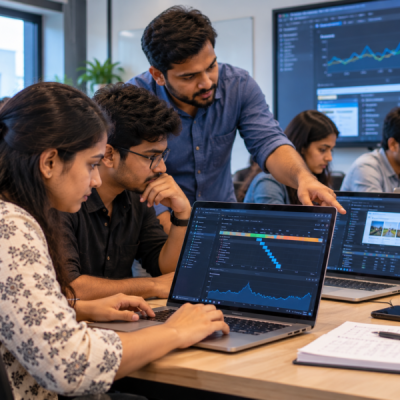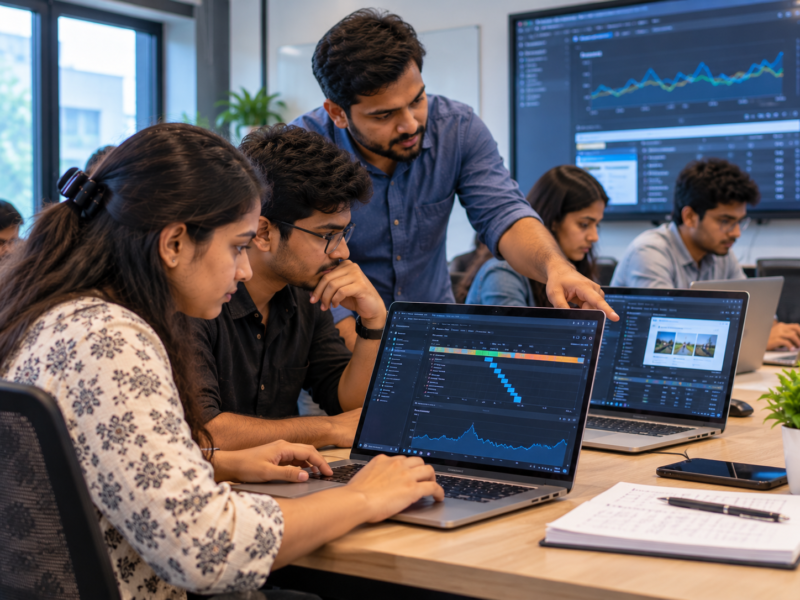
Two applications can perform the same task but feel completely different to users.
One may respond immediately. Another may take several seconds to load. One website may feel smooth when scrolling. Another may freeze or respond slowly.
Both applications may technically work.
So, what creates the difference?
The answer often comes down to software performance.
For IT students, learning performance is not only about writing faster code. It is about understanding where time is being spent, what resources are being used, and why users experience delays.
At the Best IT Training Institute in Hadapsar, students can build stronger development skills by learning to think about performance before users start complaining about slow software.
What Does Software Performance Actually Mean?
Software performance describes how efficiently an application performs its tasks.
People often associate performance only with speed. However, several factors contribute to the overall experience.
These include:
- How quickly a page loads
- How fast an application responds to an action
- How much memory it uses
- How much processing power it requires
- How efficiently it communicates with a server
- How quickly it retrieves information
- How well it behaves when many users are active
Therefore, a fast application is not simply one that finishes a task quickly.
It should also respond consistently and use resources sensibly.
For example, an application may load quickly but become extremely slow when a large amount of data is displayed.
Another application may work well with ten users but struggle when thousands of users access it.
That is why performance needs to be considered from more than one angle.
Why Do IT Students Notice Performance Too Late?
Many beginner projects run perfectly on the developer’s computer.
The laptop may have plenty of memory. The processor may be fast. The internet connection may be strong.
As a result, students may not notice problems during development.
However, the final user may have:
- An older laptop
- A budget smartphone
- A slower internet connection
- Limited memory
- A busy network
- A large amount of stored data
Suddenly, the same application feels very different.
This creates an important lesson:
Software should not be tested only in the environment where it was created.
Students should understand how different conditions can change performance.
What Makes Software Feel Slow?
There is rarely one universal reason.
Different parts of an application can introduce delays.
Large Images and Files
Images can significantly affect a website’s loading experience.
Imagine a student uploads a high-resolution image directly from a camera and displays it on a webpage.
The image may look excellent.
However, the browser may need to download a very large file before displaying it.
Reducing unnecessary file sizes can make the experience faster without changing the actual purpose of the image.
Too Many Network Requests
Modern applications frequently communicate with servers.
A page might request user information, product information, images, notifications, analytics, and other resources.
If every small element requires a separate request, the application may spend considerable time waiting for data.
Therefore, students should learn to understand what their applications are requesting and when those requests happen.
Inefficient Database Queries
Databases can handle large amounts of information.
However, a poorly designed query can take much longer than expected.
A student may test a query with 20 records and assume everything is fine.
Later, the database may contain hundreds of thousands or millions of records.
The same approach can behave very differently.
This is why performance testing should consider realistic amounts of data.
Heavy Browser Processing
Web applications can also become slow when the browser has too much work to perform.
Large JavaScript operations, unnecessary calculations, complex animations, or excessive page updates can affect responsiveness.
A page may appear simple visually while performing a large amount of work behind the scenes.
Unnecessary Background Work
Some applications continue performing tasks even when the user does not need them immediately.
For example, an application might repeatedly request information from a server or process data that is not currently visible.
Reducing unnecessary work can improve efficiency.
Why Does the User’s Device Matter?
Developers often work on relatively capable machines.
Users do not necessarily have the same hardware.
A website that feels fast on a powerful laptop may feel slower on an older mobile device.
Similarly, an application tested on a high-speed broadband connection may behave differently on a weaker network.
Therefore, students should learn to test under different conditions.
They can ask:
What happens on a slower device?
What happens with a slower connection?
What happens when there is much more data?
What happens when several operations occur together?
These questions encourage students to think beyond their own development environment.
How Can IT Students Find the Real Cause of Slow Software?
The most important rule is simple:
Measure before changing the code.
A common beginner mistake is to guess what is causing the problem.
A student may think:
“That function looks complicated. I should rewrite it.”
However, the function may not be responsible for the delay.
The actual problem could be a database query or a slow network request.
Therefore, students should learn to identify the bottleneck first.
Use Browser Developer Tools
Modern browsers provide developer tools that can help students inspect web applications.
Students can examine:
- Network requests
- Loading times
- Console activity
- Page performance
- Resource sizes
- JavaScript behaviour
This can help turn a vague complaint such as “the page is slow” into a more specific observation.
For example:
The page is waiting 2.5 seconds for a database response.
That is much more useful than simply saying:
The website feels slow.
Measure Database Operations
Students working with databases can measure how long queries take.
They can then compare different approaches.
For example, they might test:
Query A: retrieves unnecessary data.
Query B: retrieves only the required fields.
The comparison can help them understand how database design and query choices affect performance.
Use Profiling
Profiling helps developers understand where an application spends its processing time.
Instead of guessing, students can inspect which operations consume the most resources.
This teaches an important professional habit:
Fix the measured problem, not the imagined problem.
Why Should Students Avoid Optimising Everything?
Performance matters.
However, that does not mean every line of code needs to be optimised.
Suppose a student spends two hours making a tiny operation slightly faster even though it runs only once.
Meanwhile, a database query that runs thousands of times remains slow.
The student has spent effort in the wrong place.
Therefore, performance work should focus on meaningful bottlenecks.
Readable code also matters.
A highly complicated optimisation may make software harder to understand and maintain.
As a result, students should learn to balance:
- Performance
- Readability
- Maintainability
- Reliability
- Development time
The fastest code is not automatically the best code if nobody can understand or safely maintain it.
Simple Performance Exercises for IT Students
Students can practise performance without building huge applications.
Exercise 1: Compare Image Sizes
Create a webpage containing several large images.
Measure how the page behaves.
Then optimise the images and compare the result.
The goal is to understand how file size affects loading.
Exercise 2: Compare Network Requests
Build a simple webpage that loads several resources.
Use browser developer tools to inspect the requests.
Identify which resources take the longest.
This can help students understand how websites communicate with servers.
Exercise 3: Test Different Data Volumes
Create a small database with a few hundred records.
Then increase the dataset significantly.
Run the same queries and observe what changes.
This exercise teaches students why software that works with small datasets may behave differently at scale.
Exercise 4: Test a Slower Environment
Try your application on a less powerful device or under a slower network condition.
Observe the differences.
This can reveal problems that are invisible on a development machine.
Exercise 5: Measure Before and After
Choose one performance problem.
Measure it.
Make one change.
Measure again.
Then compare the results.
This simple process teaches students to connect technical changes with measurable outcomes.
What Happens When Students Learn to Think About Bottlenecks?
Their approach to development changes.
Instead of immediately rewriting code, they start investigating.
Instead of assuming that the database is slow, they measure database queries.
Instead of blaming the browser, they inspect browser activity.
Instead of reducing everything to “bad code,” they look at the complete system.
This is an important shift.
Modern applications are made of multiple components.
A user’s request may travel through:
Browser → Network → Server → Application → Database → Server → Network → Browser
A delay at any point can affect the final experience.
Therefore, understanding performance requires students to think about the whole system.
How Performance Knowledge Helps in Real IT Jobs
Performance problems appear in many types of software.
Developers may work on websites, mobile applications, enterprise systems, e-commerce platforms, dashboards, APIs, or cloud applications.
In each case, users expect reasonable responsiveness.
A developer who understands performance can contribute to these conversations more effectively.
For example, instead of saying:
“We need faster code.”
They can ask:
“Which operation is creating the delay?”
Then they can measure it and investigate the cause.
This makes technical discussions more specific.
Performance knowledge can also help students understand scalability.
An application designed for ten users may not behave the same way with ten thousand users.
Therefore, students should gradually learn to think about how software behaves as usage increases.
Performance Is Also a User Experience Issue
Users do not see your database query.
They do not see how your server processes a request.
They experience the result.
If a button takes five seconds to respond, the user experiences a slow application.
If a page takes too long to load, the user experiences a slow website.
If an application freezes while processing information, the user experiences poor responsiveness.
Therefore, performance is not only a technical measurement.
It affects how people experience software.
This is another reason students should learn to connect technical decisions with real users.
How the Best IT Training Institute in Hadapsar Can Teach Performance
Performance becomes easier to understand when students can observe it directly.
At the Best IT Training Institute in Hadapsar, students can practise performance concepts through practical development exercises.
For example, a training project could intentionally contain inefficient database queries, large images, unnecessary requests, or excessive processing.
Students can then investigate the problem.
First, they measure the application.
Next, they identify the bottleneck.
Then, they make a change.
Finally, they measure the result again.
This creates a practical learning cycle:
Build → Measure → Identify → Improve → Measure Again
Such exercises can help students understand that performance is not about blindly making code shorter.
It is about understanding how software behaves.
Students can explore software development and IT training programs through Floating Minds Institute.
Common Performance Mistakes IT Students Should Avoid
Optimising Without Measuring
Do not assume you know the problem.
Measure first.
Testing Only on a Powerful Computer
Real users may have different devices and network conditions.
Testing Only With Small Amounts of Data
A system can behave differently as data grows.
Blaming the Code Immediately
The problem could be the network, database, server, browser, or another component.
Making Code Complicated for Tiny Speed Improvements
Performance improvements should have a meaningful reason.
Ignoring User Experience
Technical measurements matter, but users experience the final result.
A Simple Performance Mindset for IT Students
Students can develop a useful habit by asking five questions whenever software feels slow:
1. What exactly is slow?
Do not describe the entire application as slow.
Identify the specific operation.
2. When does it become slow?
Is it always slow or only under certain conditions?
3. Where is the time being spent?
Check the network, database, browser, server, or application logic.
4. Can I measure the problem?
Use available development and monitoring tools.
5. Did my change actually improve it?
Measure again after making the change.
This approach is simple, but it encourages disciplined technical thinking.
Final Thoughts: Fast Software Starts With Understanding
Students do not need to become performance experts before their first job.
However, they should understand the basic idea that software performance must be measured and investigated.
A slow application is not always caused by slow code.
The problem may come from large files, database queries, network requests, browser processing, hardware limitations, or several factors working together.
Therefore, students should learn to investigate before making assumptions.
The Best IT Training Institute in Hadapsar can help students develop this mindset through practical projects, realistic testing, and performance exercises.
When students learn to measure before guessing, they become better at understanding how software actually behaves.
And that is an important step toward becoming a more practical and job-ready IT professional in 2026.