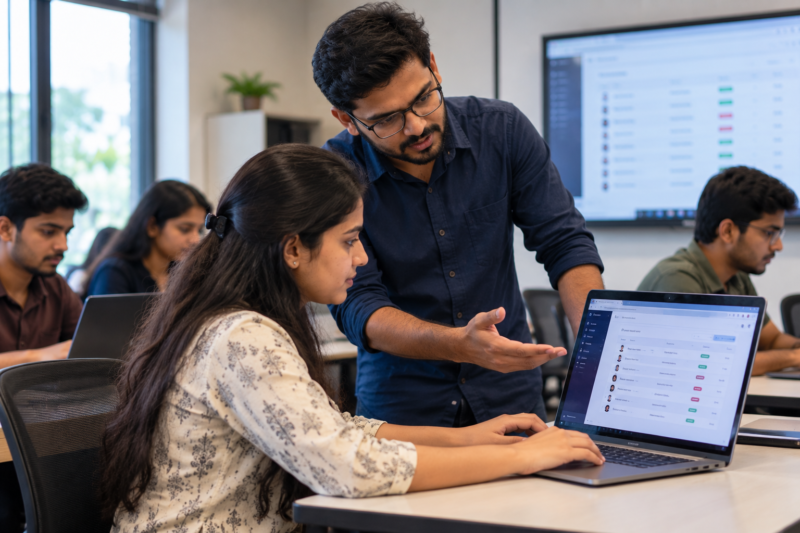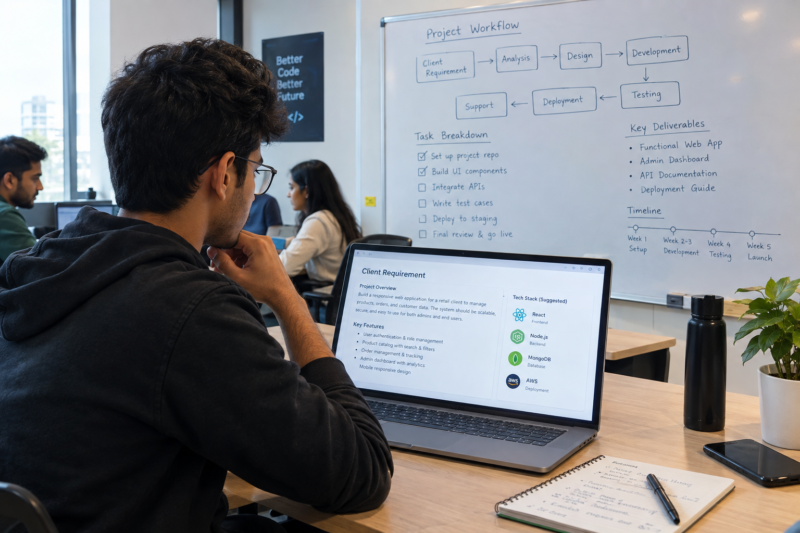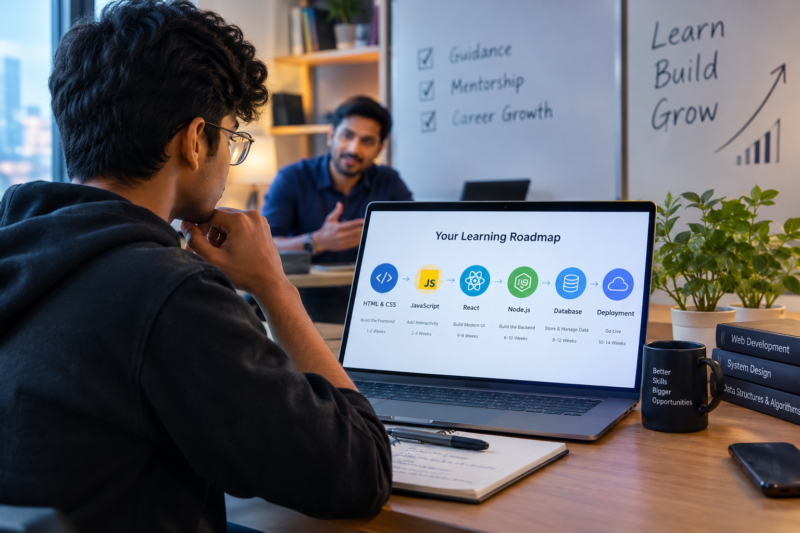
A student builds a website. The buttons work. The form submits. The database stores the information. Technically, everything seems fine. Then someone uses the website for the first time and asks: “Where am I supposed to click?” That simple question can reveal a problem that code testing may not find. Software is created for people. Therefore, IT students should learn to look at applications from the user’s point of view, not only from the developer’s point of view. For students at the Best software Training Institute in Hadapsar, this can become an important practical habit. What Does It Mean to Test Like a Real User? Testing like a real user means using software without assuming that you already understand how it works. Imagine opening an application for the first time. You do not know where every feature is. You may not understand technical terms. You may click the wrong button. You may enter information in an unexpected way. A developer who tests the application already knows the correct path. A new user does not. Therefore, user-focused testing asks a simple question: “Can someone understand and use this without being told what to do?” Why Do Developers Sometimes Miss User Problems? Developers spend a lot of time building software. They know how the application works internally. They know which button opens a particular page. They understand the database structure. They know which form fields are required. Users do not have this knowledge. As a result, developers can sometimes overlook problems that seem obvious to someone using the application for the first time. For example, a developer may think: “The login button is right there.” A user may think: “I cannot tell which button I should press.” Both people are looking at the same screen. However, they are approaching it with different levels of knowledge. Can Software Work Correctly and Still Be Difficult to Use? Yes. An application can produce the correct result and still create a poor user experience. For example, imagine a registration form. The form works correctly. However, when the user enters an invalid phone number, the application simply says: “Invalid input.” The software has detected the problem. But the user may still ask: “What should I fix?” A better message could explain what is wrong. Therefore, testing should look at both technical behaviour and user understanding. What Should IT Students Check During User Testing? Students can begin with simple areas. Navigation Can a new user find the next step? If a user wants to register, is the registration option easy to identify? Forms Are the instructions clear? Does the application explain what information should be entered? Error Messages When something goes wrong, does the user understand what happened? Buttons Do button names clearly explain what they do? Mobile Experience Does the application remain usable on a smaller screen? User Flow Can someone complete an important task without unnecessary steps? These checks do not require advanced UX knowledge. They require careful observation. How Can Students Test an Application Like a First-Time User? One useful method is to give someone a simple task. For example: “Create an account and update your profile.” Then, do not explain anything else. Watch what happens. Does the person immediately find the registration button? Do they understand the form? Do they know what to do after registration? Do they get confused? Do they make an unexpected click? These observations can reveal useful information. Most importantly, do not immediately help. If the goal is to understand the user experience, the confusion itself is useful information. Can Students Find User Problems Without Being UX Experts? Absolutely. Students can start with basic observation. They do not need to redesign an entire application. Instead, they can ask: What confused the user? Where did the user stop? What did the user expect to happen? What happened instead? What could make the next step clearer? These questions can reveal simple problems. For example, if three people fail to notice the same button, that is worth investigating. Why Should the Best software Training Institute in Hadapsar Teach User-Focused Testing? IT education should help students understand what happens after code is written. A student may know how to create a form. However, the student should also understand whether people can use that form easily. Therefore, practical training can include user-testing exercises. A trainer can give students an application and ask them to test it with someone who has never seen it before. The students can then record what happened. After that, they can make a small improvement and test the application again. This creates a simple cycle: Build → Observe → Improve → Test Again As a result, students learn that software development does not end when the code runs. What Is a Simple User Testing Exercise for IT Students? Here is an easy classroom activity. Step 1: Choose One User Task For example: “Find a course and submit an enquiry.” Step 2: Choose Someone Who Has Not Used the App This could be another student from a different group. Step 3: Give Only the Task Do not explain where to click. Step 4: Observe Watch what the person does. Do not interrupt unless necessary. Step 5: Record Confusion Write down where the user hesitated or made an unexpected choice. Step 6: Make One Improvement Change one part of the application. Step 7: Test Again Give the same task to another person. This process helps students see whether the change actually improved the experience. What Mistakes Should Students Avoid? User testing can become less useful if students guide the user too much. Do Not Explain Everything First If you explain where every button is, you are no longer testing discoverability. Do Not Correct Every Mistake A mistake may reveal something about the application. Do Not Assume Everyone Thinks Like You The developer understands the application better than a first-time user. Do Not Change Everything at Once If you make ten changes, it becomes difficult to understand which change helped. Instead, start with
Are IT Students Ready to Work With Legacy Software in 2026?
Imagine joining your first IT job. You open your laptop. The project has thousands of lines of code. The software has been running for years. Some parts use tools you have never seen before. There is one instruction from your senior: “Please understand this before you change anything.” For many freshers, this can feel very different from classroom projects. Students often learn the latest programming languages and development tools. However, real companies may also depend on older software that still supports important business operations. Therefore, students at the Best IT Training Institute in Hadapsar should learn how to understand existing software, including systems that may not use the newest technology. What Is Legacy Software? Legacy software is generally older software that a company still depends on. It may have been created many years ago. The technology may no longer be considered modern. However, the software may still perform an important business function. For example, a company could have an older application for managing inventory, employee records or financial information. The application may not look modern. Yet, if employees rely on it every day, replacing it is not a simple decision. Therefore, old software should not automatically be treated as useless software. Why Do Companies Keep Old Software? There are several reasons. It Still Works If a system reliably performs an important task, a company may continue using it. Replacing It Can Be Expensive A complete replacement may require time, money and many people. Business Processes May Depend on It An old application may be connected to several other systems. Changing one part could affect many processes. It May Contain Important Business Logic Over the years, software can accumulate rules based on how a company operates. Some of those rules may not be obvious from the code alone. As a result, replacing an old system requires more than simply writing new code. Why Can Legacy Software Be Difficult for Freshers? A new developer may expect clean code and modern tools. Instead, they may find: At first, this can feel frustrating. However, the situation can also become a valuable learning experience. The student is no longer starting with a blank project. Instead, they are learning how software grows and changes over time. Should IT Students Learn Only Modern Technologies? Modern technology is important. Students should certainly learn current programming tools and development methods. However, learning only new technology can create a different problem. Real software environments contain technology from different periods. A company may have a modern mobile application connected to an older database. A new service may communicate with an existing business system. Therefore, adaptability matters. The goal is not to become an expert in every old technology. Instead, students should become comfortable with the process of understanding unfamiliar technology. What Should Students Do Before Changing Old Code? The first rule is simple: Do not change what you do not understand. Before modifying an existing system, students can follow a few steps. Understand What the System Does First, find out what the application is supposed to do. Find the Important Parts Next, identify the main files, modules, databases and services. Trace the Flow Then, understand how information moves through the system. Test the Existing Behaviour Before changing anything, check how the application currently works. Make a Small Change Once the system is clearer, start with a limited change. This approach reduces unnecessary risk. Why Is Understanding Existing Software Different From Building New Software? When students build a new application, they make most of the decisions. They choose the structure. They choose the tools. They decide how the code should work. Existing software is different. Someone else has already made those decisions. Some decisions may be good. Others may have been made because of old business needs. Therefore, students need to understand the history and purpose of the system before judging its design. A piece of code that looks strange today may exist because of a requirement from several years ago. Why Should the Best IT Training Institute in Hadapsar Teach Students to Work With Existing Systems? Practical IT education should not always begin with a blank screen. Students can also learn by studying an application they did not create. For example, a trainer can provide a small application with several modules. Students can then be asked to: Only after understanding the system should they make a change. As a result, students learn a skill that is different from simply writing new code. They learn how to enter an existing technical environment. What Skills Help When Working With Legacy Systems? Several practical skills can make this process easier. Patience Old software may take time to understand. Therefore, students should avoid making quick assumptions. Investigation When something is unclear, trace the code and test the behaviour. Testing Testing helps confirm that a change did not break an existing feature. Version Control Keeping track of changes becomes especially useful when working with established systems. Documentation Write down important findings. This can save time when the same system needs to be understood later. Communication If something is unclear, ask the right person. However, explain what you already investigated before asking. Can Old Software Teach Students About Real Business Problems? Yes. Legacy software can show students that software is not only about code. It is also connected to business processes. For example, an old inventory system may contain rules about stock levels, approvals and product movement. Those rules may exist because the business needs them. Therefore, understanding software often means understanding why it exists. This can help students develop a wider view of technology. How Can Students Practise With Older Systems? Students can create a simple exercise. Take an older sample application. Instead of immediately rewriting it, first create a map. Write down: What does the application do? What are its main features? Where does it store data? Which components communicate with each other? What happens when a user performs an important action? After that, add one small feature. For example, a simple reporting function
Before You Build an App, Should You Understand APIs in 2026?
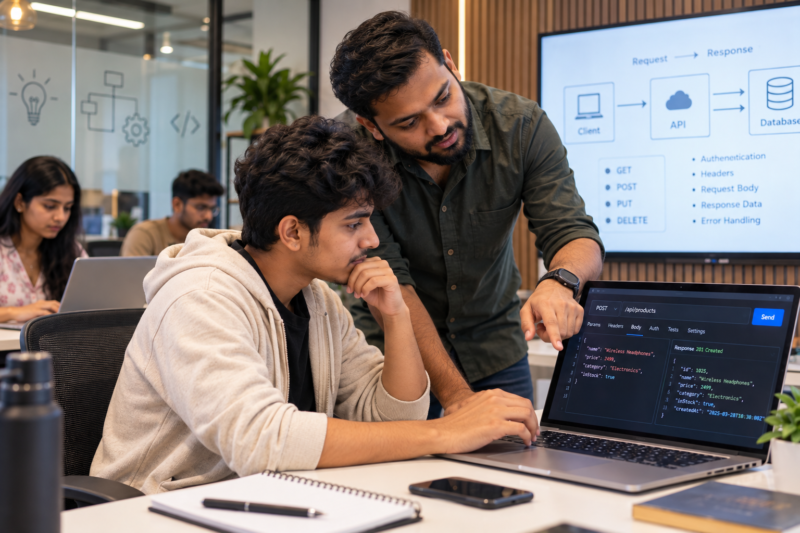
Open a food delivery app. You see restaurants, menus, prices and delivery information. Open a weather app. You immediately see current weather information. Use an online payment service. The application connects with another system to complete the transaction. But how do all these different systems communicate? One important part of the answer is APIs. For IT students, understanding APIs can make software development much easier to understand. Therefore, students at the Best software Training Institute in Hadapsar should learn not only how to write code but also how different software systems communicate with each other. What Is an API in Simple Words? API stands for Application Programming Interface. That may sound complicated. In simple terms, an API allows one software system to communicate with another. Think about ordering food at a restaurant. You tell the waiter what you want. The waiter takes the request to the kitchen. The kitchen prepares the food. Then the waiter brings the result back to you. An API works in a similar way. One application sends a request. Another system processes it. Then a response comes back. This simple idea is behind many modern applications. For students who want a basic technical reference, MDN’s API glossary provides a useful explanation of the concept. Why Do Modern Applications Need APIs? Most modern applications do not work completely on their own. A mobile application may need information from a server. An online store may connect with a payment service. A travel application may use map information. A login system may connect with another authentication service. Therefore, applications often depend on APIs to exchange information. For IT students, this is important because real software development is rarely about building every part from scratch. Instead, developers often connect existing systems. What Should IT Students Understand About APIs? Students do not need to memorise every API available on the internet. Instead, they should understand the basic building blocks. Requests A request tells another system what you want. For example, an application may request information about a particular customer or product. Responses The other system sends information back. That response may contain the requested data or an explanation of what went wrong. Endpoints An endpoint is a specific address used to access a particular API function. Students should learn how to read and understand these endpoints. Methods APIs often use methods to describe what an application wants to do. Common HTTP methods include: Students do not need to memorise them blindly. Instead, they should understand what each method is generally used for. Data Formats APIs often exchange structured data. JSON is one common format used in web applications. Students should become comfortable reading simple JSON data. Status Codes Responses can also contain status codes. For example, a successful request may return a different status from a request that has failed. Understanding these codes can help students investigate problems faster. Why Is Understanding the Flow More Important Than Memorising Syntax? A student may memorise how to write one API request. However, that does not necessarily mean they understand APIs. The real skill is understanding the complete flow: Application → Request → API → Server → Response → Application Once students understand this flow, they can learn new APIs more easily. For example, if a different company provides a completely new API, the student does not have to start from zero. The syntax may change. The basic idea remains similar. Therefore, students should focus on understanding rather than memorising. What Happens When an API Request Fails? This is where API knowledge becomes especially useful. Imagine a student creates an application that displays product information. The application sends a request. Nothing appears on the screen. What should the student do? Instead of randomly changing the code, the student can investigate the request. Is the Endpoint Correct? A small mistake in the endpoint can prevent the request from reaching the intended service. Is Authentication Required? Some APIs require credentials or access tokens. If those are missing or incorrect, the request may fail. Is the Data Correct? A request may require specific information. If the required data is missing or incorrectly formatted, the server may reject it. What Does the Response Say? The response may provide useful information about the problem. Therefore, students should learn to inspect responses instead of immediately assuming that their entire application is broken. Can API Knowledge Improve Problem-Solving? Yes. APIs give students another way to think about technical problems. Instead of asking: “Why isn’t my application working?” They can break the problem into smaller questions. Did the request leave the application? Did it reach the correct endpoint? Was the request accepted? What response came back? Did the application handle that response correctly? As a result, a large problem becomes a series of smaller checks. This approach can be useful far beyond API development. How Can Students Practise APIs Without Building a Huge Project? Students do not need to build a large application. A small exercise can teach the basics. For example, a student can create a simple webpage that displays information received from an API. The exercise can follow these steps: Step 1: Choose a Simple API Start with an API that provides easy-to-understand information. Step 2: Read the Documentation Find out what endpoint to use and what information the request needs. Step 3: Send a Request Use JavaScript or another suitable language to make the request. Step 4: Inspect the Response Look at the returned data. Identify the important fields. Step 5: Display the Data Show the information on the webpage. Step 6: Test an Error Change something deliberately. For example, use an incorrect endpoint and observe the response. This final step is important. Students learn not only how APIs work when everything goes right but also how to investigate problems. Why Should the Best software Training Institute in Hadapsar Teach API Thinking? API knowledge becomes much easier when students can practise it. A classroom explanation may introduce the concept. However, a hands-on exercise lets students see the complete
What Should IT Students Know About Data Privacy Before Their First Job?
A student builds a simple website. It has a registration form. Users enter their name, email address and phone number. The information goes into a database. The project works. But there is another question that many students may forget to ask: Who should be able to see that information? This is where data privacy becomes important. IT students may learn programming, databases and web development. However, they should also understand how software handles information about real people. Therefore, the Best IT Training Institute in Hadapsar should help students build basic privacy habits along with technical skills. What Is Data Privacy in Simple Terms? Data privacy is about how information about people is collected, used, stored and shared. In simple terms, it means treating user information carefully. For example, a shopping website may collect a customer’s name, email address and delivery details. A learning platform may store student information. A mobile application may ask for access to certain device features. Therefore, software developers need to think about more than whether the application works. They also need to think about what information the application handles and why. Why Should IT Students Care About Data Privacy? At first, privacy may seem like a topic for large companies. However, even a small student project can involve personal information. Consider a simple college management application. It might contain: If this information is stored carelessly, it can create problems. As a result, students should learn privacy basics before they start working with real business systems. What Counts as Personal Data? Personal data is information that relates to a person. Some examples are easy to identify. A person’s name, phone number and email address are obvious examples. However, other information may also matter depending on how it is used. For example, an account ID, location information or user activity may provide information about a particular person. Therefore, students should avoid thinking only about obvious details such as names. A better habit is to ask: “Can this information be connected to a person?” If the answer is yes, it deserves careful handling. Why Should the Best IT Training Institute in Hadapsar Teach Privacy Basics? Technical training should prepare students for more than writing code. In real software work, developers may work with databases, customer accounts, internal systems and business information. Therefore, privacy should become part of practical learning. For example, a student building a registration system can be asked: These questions turn privacy from a theory topic into a practical habit. What Are Common Privacy Mistakes IT Students Should Avoid? Small mistakes can create unnecessary risks. Collecting Too Much Information A form should not ask for information simply because it can. If an application only needs an email address, collecting several additional details may not be necessary. Therefore, students should think about the purpose of every field. Sharing User Data Without a Reason Data should not be copied or shared casually. For example, a student should not post a database containing real user information in a public project repository. Leaving Sensitive Information in Code Passwords, private keys and other sensitive values should not simply be placed inside source code. Instead, students should learn basic methods for keeping sensitive information separate from application code. Giving Everyone Access Not every person needs access to every piece of information. For example, a user may need access to their own account while an administrator may have different access. Therefore, access should be considered carefully. Should Students Use Real User Data While Learning? Usually, sample data is a much safer choice for student practice. Imagine a student is building a customer management application. Instead of using actual customer names and phone numbers, the student can create fictional records. For example: Name: Rahul PatilEmail: rahul@example.comPhone: 9000000000 The information can still be used to test the application. However, it does not expose someone’s actual personal information. As a result, students can practise database operations without creating unnecessary privacy concerns. How Does Data Privacy Affect Software Development? Privacy can influence many parts of an application. During Data Collection Developers should understand what information the application needs. During Storage The application should handle stored information carefully. During Access Users should only receive access that is appropriate for their role. During Sharing Developers should understand where information is going and why. During Deletion Unnecessary information should not be kept forever without a reason. Therefore, privacy is not something that should be considered only after the application is finished. It can influence the project from the beginning. What Can Students Do to Build Better Privacy Habits? Students do not need to become privacy specialists immediately. Instead, they can start with a few simple habits. Ask Why Data Is Needed Before creating a database field, ask what purpose it serves. Use Test Data Whenever possible, use fictional information for practice projects. Protect Sensitive Information Do not casually share passwords, keys or private information. Check Access Think about who can view or change stored information. Remove Unnecessary Data If information is no longer needed for the project, consider whether it should still be stored. These habits are simple. However, they can make students more aware of how their technical decisions affect users. Can Privacy Knowledge Help During a First IT Job? Yes. Freshers may work with systems that contain information belonging to customers, employees or businesses. They may not be responsible for major security decisions. Still, they can make day-to-day choices about how information is handled. For example, a developer may receive a database export while testing a feature. A careful employee will think about where that file is stored, who can access it and whether real data is actually required. That kind of thinking can prevent avoidable mistakes. How Can Students Practise Data Privacy in Projects? Students can add a small privacy check to every project. Before completing an application, they can ask: What data does my application collect? Why does it collect this data? Where is the data stored? Who can access it? Am I using real or
The IT Skill Students Often Ignore Until Their First Job
Imagine an IT student working on a difficult task. The code is not working. The student tries one solution. Then another. After an hour, the problem is still there. What should happen next? Many students keep trying without asking anyone for help. They may feel that asking questions means they are not good enough. However, the opposite can be true. Knowing when to ask for help is an important workplace skill. Therefore, the Best software Training Institute in Hadapsar should help students learn how to ask useful technical questions instead of struggling alone for too long. Why Do Students Hesitate to Ask for Help? There are several common reasons. Some students worry that their question is too basic. Others think they should solve every problem on their own. Sometimes, students also fear what their classmates or teachers may think. As a result, they may spend hours trying random solutions. However, struggling for longer does not always mean learning more. In some cases, one clear explanation can save hours of confusion. Is Asking for Help a Weakness? No. In a professional IT team, developers regularly ask questions. A developer may need to understand an old system. A tester may need clarification about a feature. A new employee may need help with an unfamiliar tool. Therefore, asking for help is a normal part of technical work. The important part is how the question is asked. A weak question might be: “My code is not working. What should I do?” A better question could be: “The login works with valid details, but the page gives an error when the password is incorrect. I checked the validation function, but I cannot find the issue. Could you help me understand what I should check next?” The second question gives useful information. As a result, another person can help much faster. What Makes a Good Technical Question? A good question gives enough context. Students can follow a simple structure. 1. Explain the Goal First, say what you are trying to achieve. For example: “I am trying to save customer details in the database.” 2. Explain What Happened Next, describe the actual problem. “The form submits, but the data is not being saved.” 3. Explain What You Tried Then, mention the steps you already took. “I checked the database connection and tested the form values.” 4. Share the Error After that, provide the error message if there is one. 5. Ask a Specific Question Finally, explain what you need help understanding. This approach makes the conversation much easier. Why Should the Best software Training Institute in Hadapsar Teach This? Technical education often focuses on getting the correct answer. However, real IT work involves many situations where the answer is not immediately known. Students may need to investigate, discuss the problem and ask another person for guidance. Therefore, training should give students opportunities to practise this process. For example, a teacher can give students a difficult programming task and allow them to ask questions. The goal should not be to avoid help. Instead, students should learn to ask for help after making a genuine attempt and collecting useful information. When Should an IT Student Ask for Help? There is no fixed time limit. However, some signs can tell students that it may be time to ask. You Are Repeating the Same Attempts If the same solution has failed several times, stop and review the approach. Perhaps another perspective is needed. You Do Not Understand the Error An error message may point to a problem that the student does not understand. In that case, asking someone can help the student learn what the error means. You Are Guessing Instead of Testing Random changes can make the problem harder to understand. Instead, ask for guidance and test one idea at a time. You Are Stuck on Something Fundamental Sometimes the real problem is a missing concept. For example, a student may struggle with an API because they do not understand how requests and responses work. Therefore, asking for help can reveal the concept that needs more study. Should Students Try First Before Asking? Yes. Asking for help does not mean avoiding independent thinking. Before asking, students can try a few basic steps: After that, the student can ask a much better question. As a result, the answer is more likely to become a learning experience. Can Asking Questions Improve Learning? Definitely. Suppose a student asks why a particular database query is failing. The teacher explains the problem. The student then understands not only the current error but also the idea behind it. Next time, the student may recognise a similar problem independently. Therefore, a good question can teach a concept that lasts beyond one assignment. Moreover, students can keep a short list of questions they asked and the answers they received. Over time, this can become a useful personal reference. What Should Students Avoid When Asking for Help? A few habits can make technical questions less useful. Avoid Saying Only “It Doesn’t Work” This gives almost no information. Instead, explain what you expected and what actually happened. Avoid Sending Huge Amounts of Code The other person may struggle to find the relevant section. Instead, share the smallest useful example. Avoid Hiding What You Tried Explain the steps you already took. This prevents the same suggestions from being repeated. Avoid Asking Without Trying A quick attempt shows that you are engaged with the problem. Therefore, make a reasonable effort before asking. Can This Skill Help During a First IT Job? Yes. New employees often work with systems they have never seen before. They may also use tools that were not part of their course. In such situations, asking clear questions can help them learn faster. For example, instead of spending half a day guessing how an internal system works, a new developer can ask a senior team member for the correct process. However, the developer should first understand the basics and explain what they have already checked. That makes the
Can IT Students Learn to Estimate a Task Before They Start Coding in 2026?
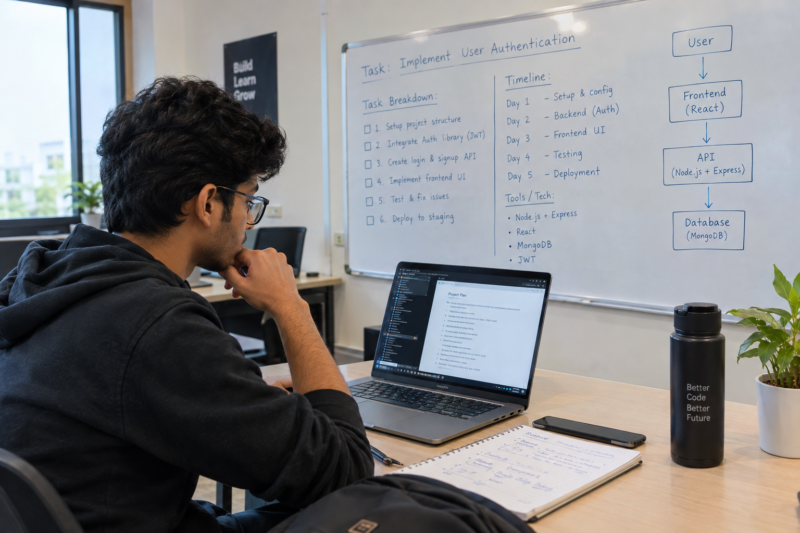
Have you ever started a coding task thinking it would take one hour, only to spend the whole day on it? This happens to many IT students. A task may look small at first. However, hidden problems can make it take much longer. In real software jobs, developers often need to estimate how much time a task may take. Therefore, students can benefit from learning this skill before their first job. The Best IT Training Institute in Hadapsar should help students understand not only how to complete a task, but also how to plan it. Why Do IT Students Often Underestimate Tasks? A student may look at a task and think, “This is easy.” For example, adding a search box to a website may sound like a quick job. However, the feature may also need: As a result, the actual work can be much larger than it first appears. Therefore, students should learn to look beyond the main feature. What Does Task Estimation Mean? Task estimation means making a reasonable guess about the work needed to complete something. It does not mean predicting the exact number of minutes. Instead, students learn to ask: What needs to be done? What could make it difficult? What information is missing? Have I done something similar before? How much testing will be needed? These questions make the estimate more realistic. Can the Best IT Training Institute in Hadapsar Teach Estimation? Yes. Students can learn estimation through simple classroom tasks. For example, a teacher could ask: “How long would you need to add a password reset feature?” A student might say: “Two hours.” However, the teacher can then ask what that estimate includes. Does it include the screen? Does it include email verification? Does it include security checks? What about testing? What happens if the email is not received? Suddenly, the student sees that the task has several smaller parts. Therefore, estimation can teach students to think about the complete task. Should Students Break Large Tasks Into Smaller Tasks? Absolutely. A large task is difficult to estimate. Smaller tasks are easier to understand. For example, instead of saying: “Build an online appointment system.” A student can break it into: Now each part can be considered separately. As a result, the final estimate becomes more useful. Why Should Students Add Time for Testing? One common mistake is estimating only the development work. However, software needs testing too. Suppose a student estimates that a form will take two hours to build. The form may work correctly in the first test. But what happens when: Therefore, testing should be considered before giving an estimate. A simple rule can help: Build time is not the same as total task time. Can Past Work Help Students Make Better Estimates? Yes. Students can keep track of how long common tasks actually take. For example, they may notice that: Over time, these observations create a useful reference. Moreover, students can compare their original estimate with the actual time. If a task was estimated at two hours but took five, they can ask why. Perhaps the requirements were unclear. Maybe the student was unfamiliar with the technology. In another case, testing may have taken longer. As a result, each completed task becomes a learning experience. What Should Students Do When They Do Not Know the Technology? This is another important part of estimation. Suppose a student receives a task involving a tool they have never used. Giving a confident estimate without checking the tool can be risky. Instead, the student can first spend some time learning the basics. For example: Step 1: Understand the requirement. Step 2: Check what technology is needed. Step 3: Identify what is already known. Step 4: Find the unknown parts. Step 5: Estimate the learning time. Step 6: Estimate the actual development work. Therefore, students learn that technical uncertainty should be part of planning. Can Estimation Help Students Avoid Last-Minute Work? Yes. Imagine a student has five tasks to finish in one week. Without an estimate, the student may start with the easiest task and leave the difficult work for the final day. However, a simple estimate can change the plan. For example: Task Estimated Time Login changes 2 hours Database update 3 hours Search feature 4 hours Testing 3 hours Documentation 2 hours Now the student can see the workload more clearly. Consequently, the student can plan the week instead of reacting to problems at the last minute. Does Estimation Mean Students Must Always Be Right? No. An estimate is not a promise. Unexpected problems can appear during development. Requirements can also change. Therefore, students should learn to update an estimate when new information becomes available. For example: Initial estimate: 3 hours New information: The existing database needs major changes. Updated estimate: 6 hours That is not necessarily a bad estimate. Instead, it shows that the student responded to new information. Can This Skill Help During Job Interviews? It can. Some interview questions focus on how candidates approach a task. An interviewer may ask: “How long would you take to build this feature?” Instead of giving a random number, a student can explain the factors behind the estimate. For example: “First, I would understand the requirements. Then, I would check the existing code, break the feature into smaller tasks and include time for testing.” This answer shows a process. Therefore, students can use estimation to demonstrate practical thinking. How Can IT Students Practise Task Estimation? The exercise is simple. Students can choose one small technical task each week. For example: Task: Add a contact form to a website. Before starting, write an estimate. Then complete the task. Afterward, record the actual time. Finally, compare the two. Ask: Over time, this creates better planning habits. Why Does Task Estimation Matter in 2026? IT work is becoming faster and more tool-driven. AI can now help developers create code, explain errors and complete routine tasks. However, faster coding does not remove the need for planning. In fact, when tools
Can IT Students Learn to Work With a Team Before Their First Job in 2026?
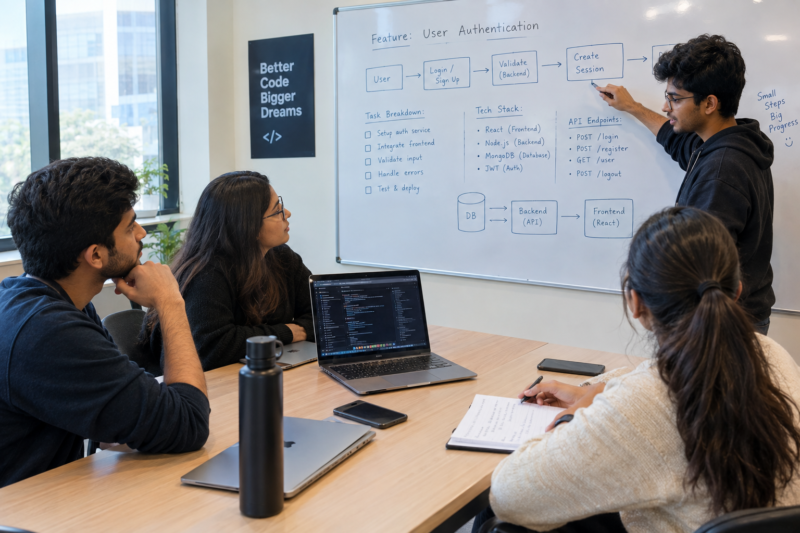
Many IT students spend most of their learning time working alone. They write code, complete assignments and practise technical questions. However, real IT work is rarely a one-person job. Developers work with designers, testers, managers, clients and other developers. Therefore, students need to learn how to work with people before they enter their first job. The Best software Training Institute in Hadapsar should not only teach technical skills. It should also give students simple ways to practise teamwork. Why Is Teamwork Important in IT? Software development involves many different tasks. One person may write the code. Meanwhile, another person may test it. A designer may work on the screens, while a project manager may track the work. As a result, everyone needs to work together. Even a skilled developer can face problems if communication is poor. For example, a developer may build a feature based on an old requirement. Later, the team may need to change the work. Therefore, teamwork can save time and reduce confusion. Can an IT Student Learn Teamwork Without Having a Job? Yes. Students can practise teamwork during their training. Instead of completing every task alone, students can work in small groups. Each person can take a simple role. For example: This setup creates a small version of a real IT team. Moreover, students learn that every role affects the final result. What Does Good Teamwork Look Like? Good teamwork is not simply sitting together and dividing the work. Instead, team members need to communicate clearly. For example, a developer may finish a feature and tell the tester: “The login feature is ready for testing.” A better update could be: “The login feature is ready. Please test successful login, wrong passwords and empty fields.” The second message gives the tester a clear starting point. Therefore, small improvements in communication can make team work easier. Should Students Learn How to Share Their Work? Yes. Sharing work is a basic part of software development. A student may finish a task and believe that it is complete. However, another team member may find a problem. That does not always mean someone has failed. Instead, feedback gives the team a chance to improve the work. For example, a tester may find that a form works on a laptop but does not work well on a mobile phone. The developer can then fix the issue. As a result, students learn an important lesson: good software is usually improved through teamwork. Can Small Team Tasks Prepare Students for Real Work? Absolutely. Students do not need a large application to practise teamwork. Even a small task can teach useful habits. For example, a group could build a simple event registration website. First, the team can discuss the requirements. Next, they can divide the work. Then, each person can complete their assigned task. After that, the team can bring the work together. Finally, everyone can test the complete website. This simple process teaches students how individual tasks become one finished product. What Happens When Team Members Disagree? Disagreement is normal in a team. For example, two students may suggest different technologies for the same feature. Instead of arguing about who is right, the team can compare the options. They can ask: Therefore, students learn to discuss technical choices using facts instead of personal preference. This is a useful habit in professional IT teams. Why Should Students Learn to Give Clear Updates? In a workplace, people need to know what is happening. A developer who says only “I am working on it” gives very little information. Instead, a useful update could say: “The payment page is complete. I am now testing failed transactions. I expect to finish testing today.” Now the team knows the current status. Similarly, students can practise giving short updates during group assignments. As a result, they become more comfortable explaining their progress. How Can the Best software Training Institute in Hadapsar Encourage Teamwork? Training can include small group activities along with individual lessons. For example, students could receive a simple software problem. First, the group discusses the requirement. Next, members divide the work. After that, they complete their tasks. Finally, the group reviews the result together. This method gives students practical experience. Moreover, students learn that technical knowledge and communication skills often work together. At Floating Minds Institute, students can connect technical learning with practical activities that encourage them to understand how software work happens in a team. Can Teamwork Improve Technical Learning? Yes, and there is a simple reason. When students work together, they see different ways of solving the same problem. One student may understand database design better. Another may be stronger at user interface work. A third may notice testing problems that others missed. Therefore, students can learn from one another. In addition, explaining a technical idea to a teammate can reveal gaps in understanding. For example, a student may think they understand an API until another student asks a basic question about it. That conversation can lead to deeper learning. How Can Students Practise Teamwork Every Week? Students can build teamwork habits through small activities. For example, once a week they can: These activities do not take much time. However, they can make students more comfortable with professional teamwork. Why Does Teamwork Matter for IT Careers in 2026? Technology continues to change. At the same time, software teams still need people who can communicate and cooperate. AI tools can help with coding. Automation can reduce repetitive work. However, teams still need people who can discuss requirements, review work, solve problems and make decisions together. Therefore, technical ability remains important, but working well with others also matters. A student who understands both sides can enter the workplace with a broader set of skills. Final Thoughts: Why Teamwork Should Be Part of IT Training Learning to code is an important step toward an IT career. However, professional software work involves more than writing code. Students also need to communicate, share work, accept feedback and solve problems with others.
Can IT Students Turn a Vague Client Request Into a Clear Technical Task in 2026?
In a real IT job, clients do not always explain their needs clearly. Instead, they often use simple business language. For example, a client may say, “Our website is slow,” “We need an app,” or “Please add online booking.” At first, these requests may sound easy. However, each one can hide many questions. Therefore, students need more than coding skills. They must also learn how to understand a problem before building a solution. This is why the Best software Training Institute in Hadapsar should teach students how to turn a simple client request into a clear technical task. Why Are Client Requests Often Unclear? Clients know their business very well. However, they may not know how to explain their needs in technical terms. Developers have the opposite problem. They understand technology, but they may not fully understand the client’s business. Therefore, both sides need to communicate clearly. For example, a restaurant owner may say: “I want customers to book tables online.” That sounds simple. However, several questions come next. As a result, the first step is not coding. Instead, the first step is asking the right questions. What Is Requirement Translation? Requirement translation means turning a business request into clear work for a technical team. In simple terms, the process looks like this: Business request → Questions → Clear requirements → Technical tasks → Development For example, imagine a client says: “Make our website faster.” A student should not start changing the code right away. Instead, the student should first ask a few simple questions. Once these questions have answers, the request becomes clearer. Consequently, the student can create specific tasks instead of making guesses. Can the Best software Training Institute in Hadapsar Teach This Skill? Yes. Practical software training should cover more than programming languages. Students should also learn how software work begins. Usually, it begins with a problem, a user or a business need. For example, students could receive this request: “Our company needs an employee leave system.” Instead of writing code immediately, students can break the request into smaller parts. First, Identify the Users The system may have employees, managers and administrators. Each user may have different needs. Therefore, each user should be considered separately. Next, Identify the Actions Employees may submit leave requests. Managers may approve or reject them. Administrators may manage employee records. As a result, the student can start seeing the full process. Then, Identify the Information The system may need employee names, leave types, dates and leave balances. It may also need approval details. Therefore, students should think about the information before thinking about the database. After That, Understand the Process An employee submits a request. Next, the manager checks it. Then, the manager approves or rejects it. Finally, the system updates the leave balance. This simple flow gives the student a much clearer picture. Finally, Create Technical Tasks Now the student can think about screens, databases, user access, validation and notifications. As a result, development becomes easier to plan. Why Should Students Ask Questions Before Coding? Coding immediately may feel productive. However, it can create problems later. Imagine a student spends two days building a booking system. Later, the client says that customers must also be able to change their bookings. Now the student has more work. The database may need changes. The booking screen may need changes too. In addition, the booking rules may need to change. Therefore, asking questions at the beginning can save time later. More importantly, it reduces the chance of building the wrong thing. What Questions Should Students Ask First? Students can use a simple question list before starting technical work. 1. What problem are we solving? First, understand the real problem. Do not focus only on the feature. Instead, find out what the client wants to achieve. 2. Who will use it? Next, identify the users. For example, a customer and an administrator may need very different features. 3. What should happen from start to finish? Then, understand the full user journey. This step can reveal missing actions. It can also reveal possible problems. 4. What should the final result be? Now define success. For example, a booking should only be confirmed when the selected time is available. 5. What limits should we consider? Finally, look at the limits. Budget, time, security, devices and existing software can all affect the final solution. Therefore, students should look at the complete situation before choosing a technical approach. Can One Simple Request Become Many Technical Tasks? Yes. In fact, this happens often in real software work. Consider this request: “Add a login system to our website.” A beginner may think: “I only need to create a login page.” However, there is much more to consider. The student may need to: Now the original request is much clearer. As a result, the student can plan the work in smaller steps. Why Is This Skill Useful in Job Interviews? Technical interviews are not always about writing code. Sometimes, an interviewer gives a problem and asks the candidate to explain the approach. In that situation, jumping straight to a programming language may not help. Instead, a student can first ask: “Who will use the system?” “What information will it handle?” “What result should the system produce?” These questions show that the student is trying to understand the problem first. After that, the student can explain the technology they would use. Therefore, requirement thinking can also help students communicate during interviews. How Can IT Students Practise This Skill? Students do not need a real client to practise. Instead, they can use simple business requests from everyday life. For example: Business request:“We need an online appointment system.” The student can then: Similarly, students can practise with other examples. This exercise is simple. However, it can teach an important habit: understand first, build second. Why Does Requirement Thinking Matter in 2026? Technology changes quickly. New tools appear every year. AI can also help developers create code much faster. However, tools cannot replace a clear
Can an IT Student Become Job-Ready Without Knowing Every Programming Language in 2026?
Introduction Do IT students really need to learn several programming languages before applying for jobs? No. In 2026, trying to learn everything can create confusion rather than career readiness. Instead, students should understand one technology well, build strong fundamentals, and learn how to apply their knowledge. Therefore, choosing the Best IT Training Institute in Hadapsar can help students focus on relevant skills instead of constantly chasing every new programming language. Do Employers Really Expect Freshers to Know Every Programming Language? No. A student does not need to know Python, Java, C++, JavaScript, SQL, and several other technologies at an advanced level. However, employers do expect candidates to understand the technology they claim to know. For example, a student who lists Python on a resume should be able to: Therefore, depth can be more useful than a long list of technologies. Is Learning One Programming Language Enough? Learning one language well can provide a strong foundation. However, students should not stop there. Once the fundamentals are clear, they can gradually explore related technologies. For example: Python → SQL → APIs → Databases → Frameworks This creates a connected learning path. Similarly, a student interested in web development might follow: JavaScript → HTML/CSS → APIs → Databases → Web Framework As a result, students understand how technologies work together instead of learning isolated tools. Why the Best IT Training Institute in Hadapsar Should Focus on Depth A good training program should not encourage students to collect technology names. Instead, it should help them understand how to use those technologies. The learning process should move from: Concept → Practice → Application → Problem-Solving For example, after learning Python loops, students should actually use them to solve problems. Then, they should understand how those concepts appear in real applications. Moreover, structured guidance can prevent students from moving to advanced topics before they are ready. Are Too Many Programming Languages Creating Confusion? They can. Students often see social media posts about the “next big technology.” Consequently, they may keep changing their learning plans. One month, they study Java. Then, they switch to Python. After that, they start JavaScript. Eventually, they may know basic syntax in several languages but lack confidence in any of them. Therefore, students should ask: “Does this technology support my career goal?” If the answer is yes, they can learn it with purpose. What Should Students Learn Instead of Chasing Every Language? Students should build transferable programming fundamentals. These include: Logic Building Understand how to break a problem into smaller steps. Data Structures Learn how information can be organized and processed. Debugging Understand how to identify and fix errors. Database Fundamentals Learn how applications store and retrieve information. APIs Understand how different software systems communicate. Version Control Learn how developers manage changes to code. These concepts can remain useful even when specific programming languages change. Can Strong Fundamentals Make Learning New Languages Easier? Yes. Once students understand programming logic, learning another language becomes easier. For example, concepts such as: appear in many programming languages. Therefore, students with strong fundamentals do not need to start from zero every time they encounter a new language. Instead, they mainly need to learn the new language’s syntax and ecosystem. How Can Students Know When They Are Ready to Move to Another Technology? Students should not move forward simply because they finished a tutorial. Instead, they can ask themselves: Can I solve a basic problem independently? Can I explain the concept without reading notes? Can I identify common errors? Can I modify an existing solution? Can I use the skill in a practical situation? If the answer is mostly yes, moving to the next technology may make sense. Consequently, students can build skills based on understanding rather than course completion. Does Knowing Fewer Technologies Make a Student Less Competitive? Not necessarily. A student who understands one technology deeply can demonstrate stronger practical knowledge than someone who has only basic familiarity with ten technologies. However, students should also remain adaptable. The goal is not to learn only one technology forever. Instead, it is to build a strong foundation first and then expand intelligently. For example: Strong foundation + practical experience + willingness to learn = adaptable IT professional Moreover, continuous learning becomes easier when the fundamentals are strong. How Can Students Build a Focused Learning Roadmap? A simple roadmap can begin with one career goal. For example: Step 1: Choose a Career Direction Decide whether you are exploring software development, data, testing, cybersecurity, or another IT field. Step 2: Select a Core Technology Choose a suitable programming language or technical foundation. Step 3: Learn the Fundamentals Focus on concepts rather than memorizing syntax. Step 4: Practice Regularly Solve problems and apply concepts. Step 5: Add Supporting Technologies Learn technologies that complement your main skill. Step 6: Review Your Progress Finally, identify gaps and improve them. Students seeking structured technical training can explore the programs and learning opportunities available through Floating Minds Institute. What Does a Job-Ready IT Student Actually Look Like? A job-ready student does not need to know everything. Instead, they should be able to demonstrate: Furthermore, they should understand that professional growth continues after getting the first job. For broader information about changing technology and workplace skills, students can explore the World Economic Forum’s Future of Jobs research. Final Thoughts: Why Floating Minds Institute Is the Right Choice So, does an IT student need to know every programming language to build a successful career? No. What matters more is developing strong fundamentals, practical ability, and the confidence to keep learning. Floating Minds Institute focuses on structured technical education and practical career preparation, helping students understand technologies instead of simply collecting them. For learners who want focused training and a clear path toward IT careers, FMI can be a valuable choice when looking for the Best IT Training Institute in Hadapsar in 2026.
Why IT Students Should Practice Explaining Their Thinking, Not Just Their Answers, in 2026
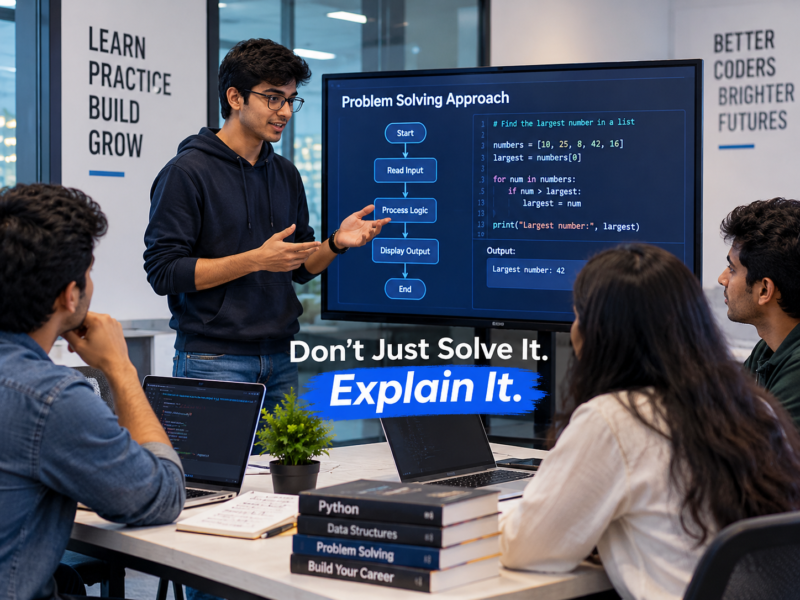
Introduction In IT, getting the correct answer is important. However, employers and technical teams often want to understand how you reached that answer. Two students may solve the same programming problem. One student can only show the final code. Meanwhile, another can clearly explain the problem, describe the approach, and discuss why they chose a particular solution. Therefore, the second student may appear more confident and prepared. Learning to explain technical thinking is becoming an important career skill. With practical guidance from the Best software Training Institute in Hadapsar, students can develop both technical knowledge and the ability to communicate their problem-solving process. Why the Final Answer Does Not Tell the Complete Story A correct answer shows that something worked. However, it does not always show whether the student understood the process. For example, a student may write working code after following an online tutorial. However, can they answer these questions? Therefore, students should learn to explain their thinking, not simply present a finished result. What Does “Explaining Your Thinking” Mean in IT? Explaining your thinking does not mean describing every thought in your mind. Instead, it means clearly communicating your professional approach. For example: Problem: The application is loading slowly. Observation: The database request takes too much time. Approach: Check the query and identify unnecessary data processing. Decision: Optimize the query before changing the application design. This approach makes technical communication clearer. Moreover, it helps others understand how a student or professional solves problems. How the Best software Training Institute in Hadapsar Can Build Technical Communication Skills Students can practice explaining their approach during regular learning activities. For example, after completing an assignment, a trainer can ask: What Problem Were You Solving? Students explain the original objective. What Approach Did You Choose? Students describe their method. Why Did You Choose It? Students explain the reason behind the decision. What Challenge Did You Face? Students discuss what went wrong and how they responded. Consequently, students begin connecting technical work with clear communication. Why This Skill Matters During Technical Interviews Technical interviews are not always about producing the fastest answer. Interviewers may also want to understand how candidates approach unfamiliar problems. Therefore, students should practice speaking while solving. For example, instead of silently working for several minutes, a candidate can explain: “First, I would understand the input. Then, I would consider a simple approach before checking whether a more efficient solution is needed.” This helps the interviewer understand the candidate’s approach. Moreover, it shows structured thinking. The “Pause, Plan, Explain” Method Students can use a simple three-step method. Pause Do not immediately jump into a solution. First, understand the problem. Plan Think about the possible approach. Identify the important steps. Explain Describe your approach clearly before or while implementing it. This method can improve both confidence and accuracy. Additionally, it helps students avoid rushing into unnecessary solutions. Why Explaining Decisions Builds Better Teamwork IT professionals regularly work with other people. A developer may need to explain a decision to a team leader. A tester may need to explain why something is a problem. A data analyst may need to explain findings to a business team. Therefore, technical knowledge alone is not enough. Professionals must also make their work understandable. The ability to explain decisions clearly can reduce confusion and improve collaboration. Practice With a “Why?” Question After completing any technical task, students can ask themselves: Why did I do it this way? This simple question can reveal whether they truly understand their work. For example: Why did I use this database query? Why did I choose this data structure? Why did I organize the application this way? If the student cannot answer, they may need to explore the topic further. As a result, learning becomes deeper and more intentional. Why Clear Thinking Leads to Better Problem-Solving When students explain their approach, they often discover weaknesses in their own logic. For example, while explaining a solution, they may realize that an important situation was not considered. Therefore, communication can actually improve technical thinking. Explaining an approach forces students to organize information. Moreover, it makes hidden assumptions easier to identify. This habit can lead to stronger and more reliable solutions. Students can also explore professional communication and technical learning resources through IBM SkillsBuild. How Students Can Practice This Skill Every Day Students do not need a formal presentation to improve. They can practice after completing a small task. Try this: Over time, students become more comfortable discussing technology. Students who want practical learning and career-focused skill development can explore the training opportunities available through Floating Minds Institute. Final Thoughts: Why Floating Minds Institute Is the Right Choice Successful IT professionals need more than the ability to produce correct answers. They also need to understand problems, make decisions, and communicate their approach clearly. Floating Minds Institute supports students through practical learning and career-focused development that encourages stronger technical understanding and confidence. By helping learners connect problem-solving with clear communication, FMI prepares students for interviews and professional environments. This practical approach makes FMI a valuable choice for students searching for the Best software Training Institute in Hadapsar and preparing for successful IT careers in 2026.