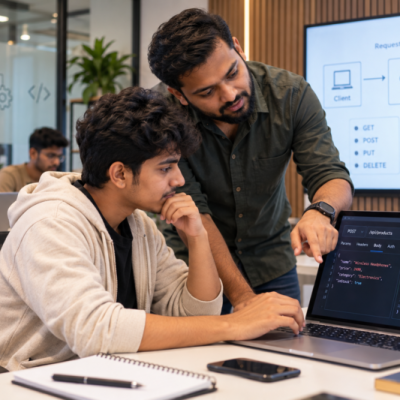
Imagine joining your first IT job.
You open your laptop.
The project has thousands of lines of code. The software has been running for years. Some parts use tools you have never seen before.
There is one instruction from your senior:
“Please understand this before you change anything.”
For many freshers, this can feel very different from classroom projects.
Students often learn the latest programming languages and development tools. However, real companies may also depend on older software that still supports important business operations.
Therefore, students at the Best IT Training Institute in Hadapsar should learn how to understand existing software, including systems that may not use the newest technology.
What Is Legacy Software?
Legacy software is generally older software that a company still depends on.
It may have been created many years ago.
The technology may no longer be considered modern. However, the software may still perform an important business function.
For example, a company could have an older application for managing inventory, employee records or financial information.
The application may not look modern.
Yet, if employees rely on it every day, replacing it is not a simple decision.
Therefore, old software should not automatically be treated as useless software.
Why Do Companies Keep Old Software?
There are several reasons.
It Still Works
If a system reliably performs an important task, a company may continue using it.
Replacing It Can Be Expensive
A complete replacement may require time, money and many people.
Business Processes May Depend on It
An old application may be connected to several other systems.
Changing one part could affect many processes.
It May Contain Important Business Logic
Over the years, software can accumulate rules based on how a company operates.
Some of those rules may not be obvious from the code alone.
As a result, replacing an old system requires more than simply writing new code.
Why Can Legacy Software Be Difficult for Freshers?
A new developer may expect clean code and modern tools.
Instead, they may find:
- Old programming languages.
- Large files.
- Limited comments.
- Outdated interfaces.
- Complex dependencies.
- Unfamiliar database structures.
- Code written by people who no longer work at the company.
At first, this can feel frustrating.
However, the situation can also become a valuable learning experience.
The student is no longer starting with a blank project.
Instead, they are learning how software grows and changes over time.
Should IT Students Learn Only Modern Technologies?
Modern technology is important.
Students should certainly learn current programming tools and development methods.
However, learning only new technology can create a different problem.
Real software environments contain technology from different periods.
A company may have a modern mobile application connected to an older database. A new service may communicate with an existing business system.
Therefore, adaptability matters.
The goal is not to become an expert in every old technology.
Instead, students should become comfortable with the process of understanding unfamiliar technology.
What Should Students Do Before Changing Old Code?
The first rule is simple:
Do not change what you do not understand.
Before modifying an existing system, students can follow a few steps.
Understand What the System Does
First, find out what the application is supposed to do.
Find the Important Parts
Next, identify the main files, modules, databases and services.
Trace the Flow
Then, understand how information moves through the system.
Test the Existing Behaviour
Before changing anything, check how the application currently works.
Make a Small Change
Once the system is clearer, start with a limited change.
This approach reduces unnecessary risk.
Why Is Understanding Existing Software Different From Building New Software?
When students build a new application, they make most of the decisions.
They choose the structure.
They choose the tools.
They decide how the code should work.
Existing software is different.
Someone else has already made those decisions.
Some decisions may be good. Others may have been made because of old business needs.
Therefore, students need to understand the history and purpose of the system before judging its design.
A piece of code that looks strange today may exist because of a requirement from several years ago.
Why Should the Best IT Training Institute in Hadapsar Teach Students to Work With Existing Systems?
Practical IT education should not always begin with a blank screen.
Students can also learn by studying an application they did not create.
For example, a trainer can provide a small application with several modules.
Students can then be asked to:
- Find the main entry point.
- Identify important functions.
- Trace a user action.
- Find where data is stored.
- Identify connected components.
- Explain what happens when a user completes a task.
Only after understanding the system should they make a change.
As a result, students learn a skill that is different from simply writing new code.
They learn how to enter an existing technical environment.
What Skills Help When Working With Legacy Systems?
Several practical skills can make this process easier.
Patience
Old software may take time to understand.
Therefore, students should avoid making quick assumptions.
Investigation
When something is unclear, trace the code and test the behaviour.
Testing
Testing helps confirm that a change did not break an existing feature.
Version Control
Keeping track of changes becomes especially useful when working with established systems.
Documentation
Write down important findings.
This can save time when the same system needs to be understood later.
Communication
If something is unclear, ask the right person.
However, explain what you already investigated before asking.
Can Old Software Teach Students About Real Business Problems?
Yes.
Legacy software can show students that software is not only about code.
It is also connected to business processes.
For example, an old inventory system may contain rules about stock levels, approvals and product movement.
Those rules may exist because the business needs them.
Therefore, understanding software often means understanding why it exists.
This can help students develop a wider view of technology.
How Can Students Practise With Older Systems?
Students can create a simple exercise.
Take an older sample application.
Instead of immediately rewriting it, first create a map.
Write down:
What does the application do?
What are its main features?
Where does it store data?
Which components communicate with each other?
What happens when a user performs an important action?
After that, add one small feature.
For example, a simple reporting function could be added.
The student must first understand the existing flow and then make the change without breaking the original features.
This creates a much more realistic development exercise.
Why Is Testing Especially Important With Existing Software?
A new project may have fewer dependencies.
An older system may have many.
One small change can affect something that appears unrelated.
For example, changing a database field may affect reports, forms and other applications.
Therefore, students should test existing features after making changes.
They should not assume that a successful new feature means the whole application is still working correctly.
Can Legacy-System Experience Help Freshers?
It can help students become more comfortable with unfamiliar environments.
A fresher may join a company and discover that the project uses technology they did not study directly.
Instead of immediately feeling blocked, they can use a familiar process:
Observe → Understand → Test → Change → Verify
This mindset is useful because technology will continue to change.
The ability to learn an unfamiliar system can remain valuable even when specific tools become outdated.
What Mistakes Should Students Avoid?
There are several common mistakes.
Rewriting Everything Immediately
A student may see old code and decide that it should all be replaced.
However, that may create more problems than it solves.
Assuming Old Means Bad
Age does not automatically determine whether software is useful.
Changing Multiple Things at Once
If several parts are changed together, finding the source of a new problem becomes harder.
Skipping Tests
A change that appears small can have unexpected effects.
Ignoring Business Rules
Code may contain rules that are important to the company.
Therefore, students should understand the purpose before changing the implementation.
Why Does This Matter in 2026?
Technology continues to move quickly.
New frameworks, programming languages and development tools appear regularly.
However, businesses do not replace every system whenever a new technology becomes popular.
Instead, companies often operate a mix of old and new systems.
As a result, IT professionals need more than knowledge of current tools.
They also need the ability to learn unfamiliar systems.
That is why adaptability remains an important part of technical growth.
How Can Practical Training Build This Ability?
A strong learning environment can deliberately expose students to unfamiliar code.
Instead of giving students only projects where they control everything, trainers can provide an existing application and ask them to understand it.
The student can then explain the application before making any changes.
Next, they can fix a small issue.
Later, they can add a simple feature.
Finally, they can test the system and explain what changed.
This creates a practical learning cycle.
At Floating Minds Institute, students can build technical knowledge through practical exercises that encourage them to understand how software works in real situations.
Final Thoughts: Modern IT Needs Adaptable Learners
Learning the newest technology is useful.
However, real software work is rarely limited to the newest technology.
Students may encounter old code, existing databases and systems that have been running for years.
Therefore, students looking for the Best IT Training Institute in Hadapsar should also think about whether their training helps them become comfortable with unfamiliar technical environments.
The goal is not to memorise every old technology.
The goal is to learn how to understand systems, investigate problems and make careful changes.
Because when a student can work with both new ideas and existing systems, stepping into a real IT environment becomes a much more familiar process.