Starting an IT career today is different from starting one a few years ago. AI tools are now part of many daily workflows. They can help developers write code, testers create test cases, marketers analyze campaigns, and data professionals work with information faster.
For freshers, the goal is not to learn every AI tool available. Instead, focus on understanding how AI can support your chosen IT career.
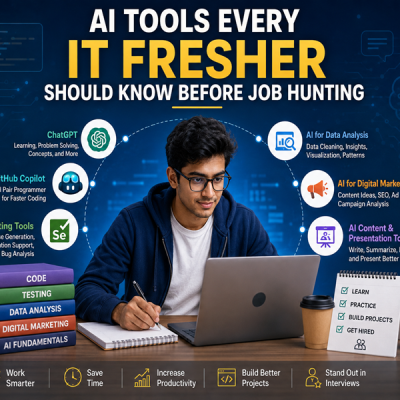
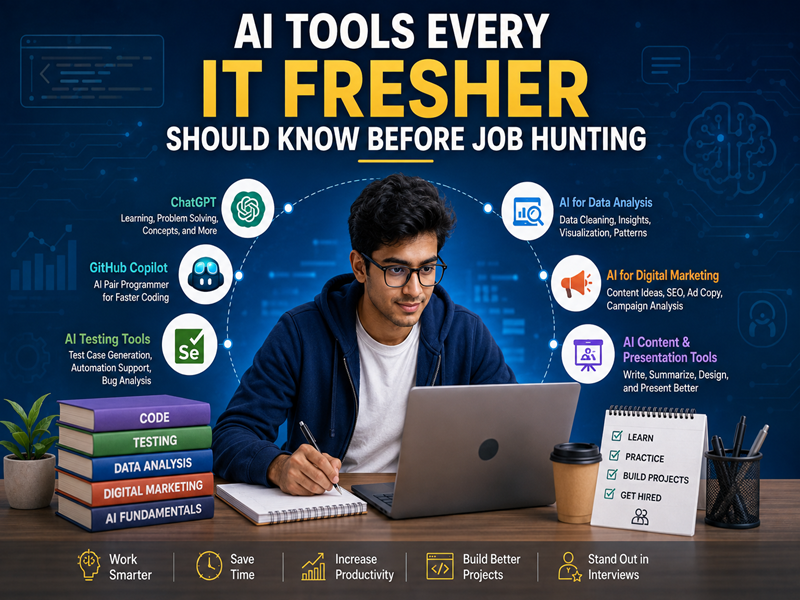
Here are some useful AI tools and skills every IT fresher should know before job hunting.
Why Should Freshers Learn AI Tools?
Companies are increasingly using AI to improve productivity. Knowing how to use these tools can help you complete routine tasks faster.
AI knowledge can also show employers that you are willing to learn new technology.
However, AI should support your skills, not replace them.
You still need strong fundamentals, problem-solving skills, and practical experience.
1. ChatGPT for Learning and Problem Solving
ChatGPT can be useful for freshers across different IT fields.
You can use it to:
- Understand difficult concepts
- Get coding explanations
- Practice interview questions
- Generate project ideas
- Review your resume
- Create study plans
- Understand technical errors
For example, a beginner learning Java can ask ChatGPT to explain a programming concept with a simple example.
The important thing is to understand the answer instead of simply copying it.
2. GitHub Copilot for Coding
For aspiring developers, AI coding assistants can help speed up development.
GitHub Copilot can assist with:
- Writing code
- Completing code
- Creating functions
- Explaining code
- Suggesting solutions
Freshers should first understand programming fundamentals.
An AI coding assistant becomes more useful when you know how to check whether the generated code is correct.
3. AI Tools for Software Testing
AI is also becoming useful in software testing.
AI-assisted tools can help testers create test ideas, analyze requirements, and support automation workflows.
Freshers should still learn important testing concepts such as:
- Test cases
- Test scenarios
- Bug reporting
- Regression testing
- Functional testing
- Automation basics
AI can make testing faster, but good testing still requires human judgment.
4. AI Tools for Digital Marketing
AI has become a useful part of digital marketing.
Marketers can use AI for:
- Content ideas
- Keyword research
- Ad copy
- Social media content
- Campaign planning
- Data analysis
However, knowing marketing fundamentals is still essential.
A fresher should understand SEO, paid advertising, content marketing, analytics, and audience research before depending heavily on AI.
5. AI Tools for Data Analysis
Data professionals can use AI to work with datasets and understand information more efficiently.
AI can assist with:
- Data cleaning
- Finding patterns
- Explaining data
- Creating analysis ideas
- Writing basic code
- Summarizing results
Freshers should also learn Python, statistics, spreadsheets, databases, and data visualization.
These fundamentals help you check whether AI-generated results make sense.
6. AI-Powered Presentation and Content Tools
Freshers may also use AI tools to prepare presentations, documents, and professional content.
These tools can help with:
- Presentation ideas
- Report structures
- Professional writing
- Visual concepts
- Content organization
Good communication is an important workplace skill. AI can help improve your first draft, but you should always review the final content.
7. Learn How to Write Better Prompts
Knowing how to communicate with AI is becoming an important skill.
Instead of asking:
“Explain Java.”
Try:
“Explain Java inheritance for a beginner with a simple example and three practice questions.”
A clear prompt usually gives a more useful response.
Practice including:
- Your goal
- Relevant context
- Required format
- Level of detail
- Examples when needed
8. Learn to Verify AI Output
This is one of the most important AI skills for freshers.
AI can produce incorrect code, outdated information, or inaccurate explanations.
Before using AI-generated work, ask:
- Is the information correct?
- Does the code work?
- Are the sources reliable?
- Does the solution actually solve the problem?
- Can I explain what the AI generated?
Never assume that an AI answer is automatically correct.
AI Skills by IT Career
Different career paths require different AI skills.
| Career Path | Useful AI Applications |
|---|---|
| Full Stack Development | Code assistance, debugging, documentation |
| Software Testing | Test ideas, automation support, test analysis |
| Digital Marketing | Content, SEO research, ads, analytics |
| Data Science | Data analysis, coding, visualization, research |
| Data Analytics | Data exploration, reports, insights |
| IT Support | Troubleshooting and documentation |
You do not need to master every tool on this list.
Choose tools based on the career you want to pursue.
Common Mistakes Freshers Should Avoid
Using AI Without Understanding
Copying an AI-generated solution may help you finish a task, but it does not build your skills.
Learning Too Many Tools
There are hundreds of AI tools available. Trying to learn all of them can waste time.
Focus on a few tools that are relevant to your career.
Ignoring Fundamentals
AI cannot replace basic knowledge.
Developers need programming skills. Testers need testing concepts. Marketers need marketing fundamentals. Data professionals need analytical skills.
Depending on AI for Everything
Use AI as an assistant, not as a replacement for your own thinking.
How Freshers Can Prepare for AI-Driven Jobs
A practical approach is to combine fundamentals + AI tools + projects.
Start by learning the basics of your chosen field. Then introduce AI tools into your daily practice.
For example:
Learn → Practice → Use AI → Verify → Improve → Build
This approach helps you develop both technical knowledge and AI confidence.
Build Projects Using AI Responsibly
Projects are one of the best ways to demonstrate your skills.
Instead of simply mentioning AI tools on your resume, show how you used them.
For example:
- Build a website with AI-assisted coding
- Create an automated testing project
- Plan a digital marketing campaign using AI
- Analyze a dataset with AI-assisted coding
- Create an AI-supported business report
During interviews, be prepared to explain what you did and how you verified the AI output.
Final Thoughts
AI tools are becoming valuable skills for IT freshers. They can help you learn faster, improve productivity, and prepare for real workplace tasks.
But learning AI tools alone is not enough.
Build strong fundamentals, practice regularly, work on projects, and learn how to verify AI-generated results.
The best fresher is not the person who knows the most AI tools. It is the person who knows how to use AI effectively while understanding the work behind it.