
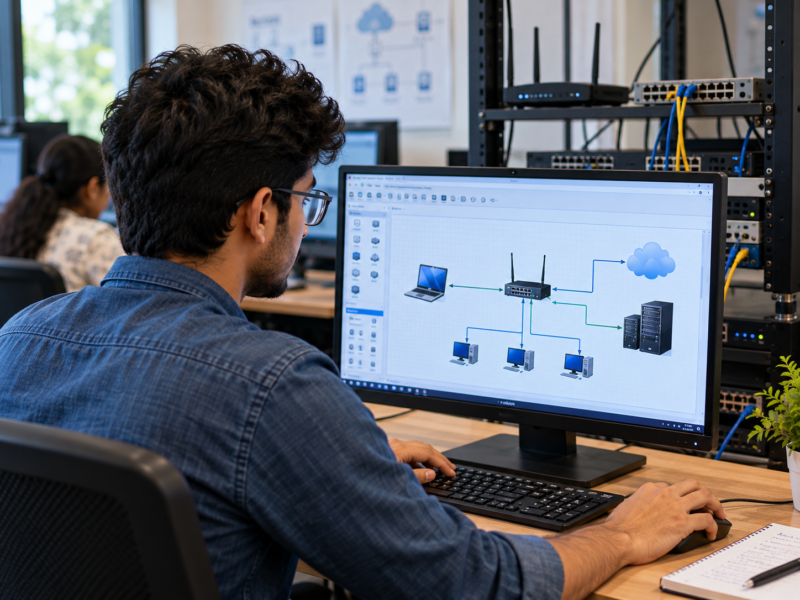
You open a website, enter a search query or watch an online video every day. These actions may look simple. However, many processes happen behind the scenes whenever you use the internet. A browser sends requests, servers process information and networks carry data between devices. All these steps work together to show the content on your screen. For IT students, understanding these basics is important. It helps them build better websites, find technical problems and understand how online applications communicate. The Best IT Training Institute in Hadapsar should help students understand these practical concepts alongside programming. One useful starting point is learning how the internet actually works. What Happens When You Open a Website? Imagine typing www.example.com into your browser and pressing Enter. The website does not appear instantly by magic. Your computer follows several steps to find the correct server and request the page. Here is a simple explanation: Each step depends on different internet technologies. For example, DNS helps find the server, while HTTP or HTTPS helps browsers and servers exchange web information. Understanding this process makes web development easier to learn. What Are the Main Parts of the Internet? The internet connects computers, phones, servers and other devices across the world. These devices communicate through agreed rules called protocols. Let’s understand some important parts. 1. What Is an IP Address? An IP address is a number assigned to a device or network interface so it can be identified and reached across an IP network. Think of it as a network address that helps data reach the correct destination. There are two main versions: IPv4: Uses four groups of numbers separated by dots. Example: IPv6: Uses a longer hexadecimal format with groups separated by colons. Example: IPv6 was developed to provide a much larger address space than IPv4. For students, the important point is simple: devices need network addresses to communicate with other devices. 2. What Is DNS? DNS stands for Domain Name System. People usually remember website names rather than long IP addresses. DNS helps connect those easy-to-read names with the IP addresses used by networks. For example, you can type a website name instead of remembering its server address. When you visit a website, your device may need to look up its IP address through DNS. This process is called DNS resolution. DNS information can also be stored temporarily in caches. Because of this, your device may not need to perform a fresh lookup every time you visit the same website. Understanding DNS helps developers investigate problems such as websites that fail to load because of incorrect domain settings. 3. What Are Clients and Servers? A client is a device or application that requests a service or information. A server receives requests and provides the required response. For example: This is known as the client-server model. The same idea appears in many applications. A mobile app may request account information from a remote server. Similarly, an online store may request product details before displaying them. Therefore, understanding clients and servers helps students understand how modern applications work. 4. What Are Routers and Data Packets? Data does not usually travel across the internet as one large piece. It is divided into smaller units called packets. Each packet carries part of the information along with details needed for delivery. Routers help move packets between networks. They examine network information and decide where packets should go next. For example, when you send information from your laptop to a website, routers help carry that data through different networks until it reaches the destination. The receiving system then processes the data and sends a response. This process happens very quickly, even when the destination is far away. What Are HTTP and HTTPS? HTTP stands for Hypertext Transfer Protocol. It defines how web clients and servers exchange requests and responses. When you open a website, your browser uses a web protocol to request information from the server. HTTPS is the secure version of HTTP. It uses encryption through TLS to protect information exchanged between the browser and server. You can often identify HTTPS through the lock or security indicator shown in the browser’s address bar. Here is a simple comparison: HTTP HTTPS Does not provide transport encryption by itself Uses TLS to protect data in transit Data can be exposed more easily on an untrusted network Helps protect data from interception and tampering Uses the standard HTTP protocol Uses HTTP over a secure TLS connection Not suitable for protecting sensitive information by itself Essential for modern websites and online services For example, a website that handles login details should use HTTPS. However, remember that HTTPS does not automatically mean a website is trustworthy. It protects the connection, but users should still check whether the website itself is genuine. What Are Ports and Network Protocols? Devices use ports to direct network traffic to the correct application or service. Think of an IP address as the address of a building. A port is like a particular entrance or department inside that building. Some common port numbers include: Port Common Use 80 HTTP 443 HTTPS 22 SSH 25 SMTP These are standard or commonly used port assignments. Actual network configurations can vary. Protocols define how devices exchange information. They provide rules for sending, receiving and handling data. Here are a few important examples: TCP: Helps establish a reliable connection and delivers data in the correct order. UDP: Sends data with less connection overhead. It is useful when speed matters and some packet loss can be accepted. DNS: Helps find the IP address associated with a domain name. HTTP: Defines how web requests and responses work. Learning these terms gives students a better understanding of what happens when applications communicate over a network. How Does a Browser Communicate With a Server? Let’s look at a simple example. Suppose you visit an online shopping website and open a product page. Your browser sends a request asking for the product information. The server receives that request and
Why Should IT Students Understand How the Internet Works Before Building Web Applications?
AI Training, Best IT Training Institute, Best Software Training Institute, Blog, career guidance, Data Analytics, Data Science', Digital Marketing, Floating Minds Institute, FMI, Full stack Java course, IT career roadmap, IT Courses with Live Projects, IT Training, IT Training Institute, Learning, Python course, Softaware Training institute, software testing course, Storybook